If you own a small business, you've probably wondered: "is it worth advertising on Google?" The short answer is yes — as long as you start the right way. Google Ads for small businesses doesn't require a massive budget. It requires planning, clarity on what you want and close monitoring.
In this guide, Estúdio Lepe explains in simple terms how Google Ads works, which steps to follow to create your first campaign, how much to invest and which mistakes to avoid. By the end, you'll know exactly where to start. Let's go!
What Is Google Ads and How Does It Work
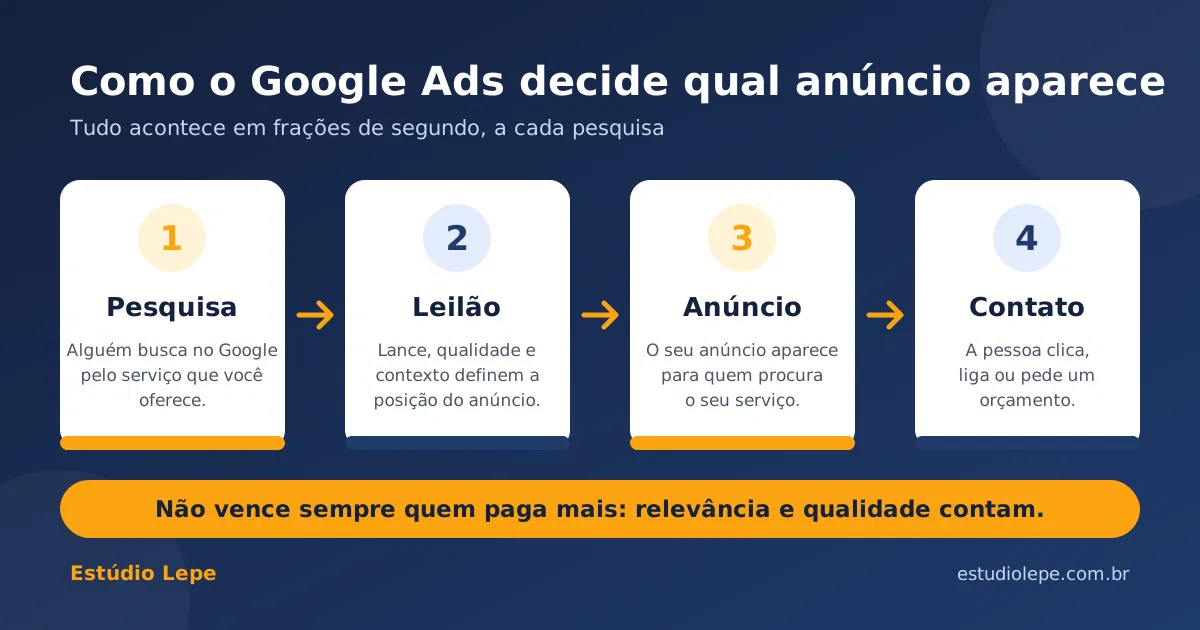
Google Ads is Google's advertising platform. With it, your business appears in search results (and other Google placements) for people who are looking for exactly what you offer. On the Search Network, for example, someone typing "home remodeling near me" will see your ad at the top of the page.
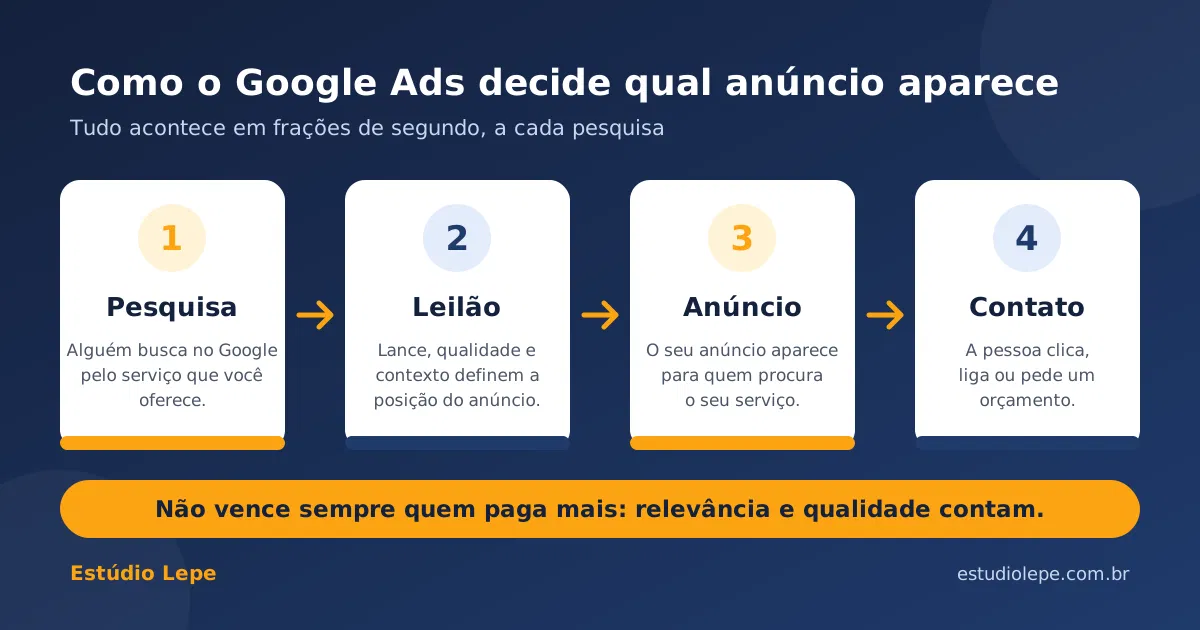
The logic is simple: you choose keywords, set how much you're willing to pay per click and create the ad. Every time someone searches, Google runs a quick auction to decide which ads appear and in what order. According to the official Google Ads auction help page, ad position depends on several factors, including the bid, ad and landing page quality, expected impact of assets (like phone and links) and search context.
This is good news for smaller budgets: whoever pays the most doesn't always win. A relevant ad with a solid landing page can outrank a competitor with a higher bid. You pay per click, and the amount charged is usually less than your maximum bid.
Why Google Ads Is Worth It for Small Businesses
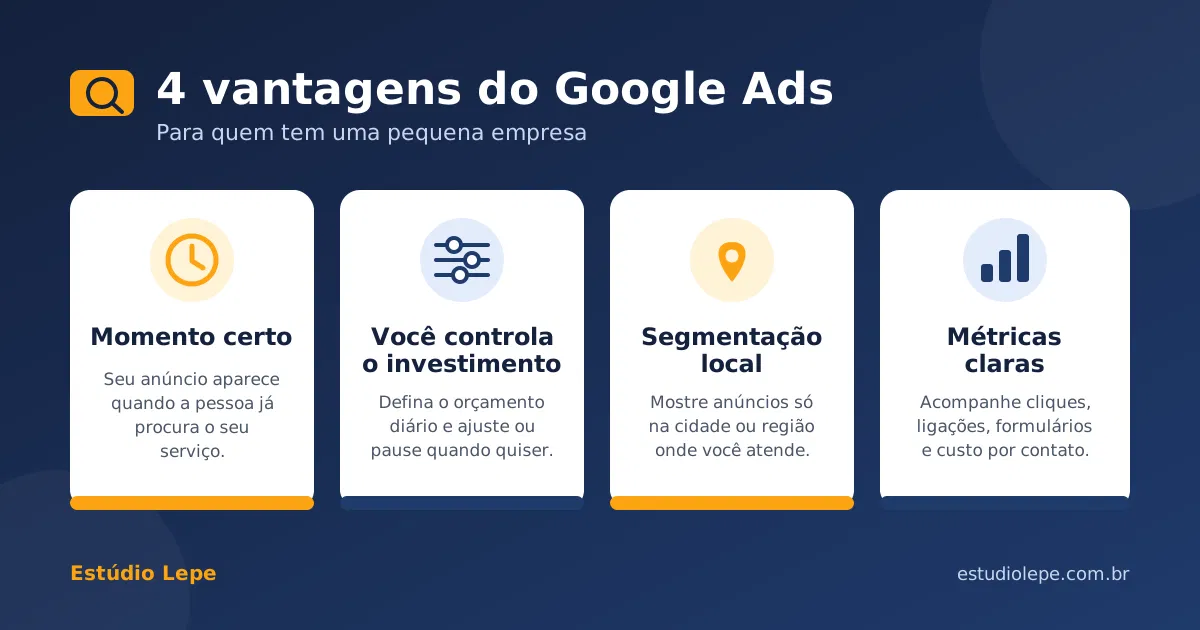
The biggest advantage is reaching people at the moment they are looking for your service. Someone searching already has a need, and that brings the ad closer to a sale or quote request. On top of that:
- You control the investment: set a daily budget and pause or adjust the campaign whenever you want.
- Local targeting: you can show ads only to the city, neighborhood or area you serve.
- Fast results: the campaign can start generating visits and leads in the first few days, unlike mid-term strategies like SEO.
- Everything is measurable: you track clicks, phone calls, forms and how much each lead costs.
A real example: in an Estúdio Lepe case study, a local construction company in Connecticut (USA) got 129 conversions in 30 days, at an average cost of US$ 3.52 per conversion, most of them phone calls. Results vary by industry and region, but they show that with strategy and monitoring, a lean budget can bring real leads.
Step by Step: How to Get Started with Google Ads
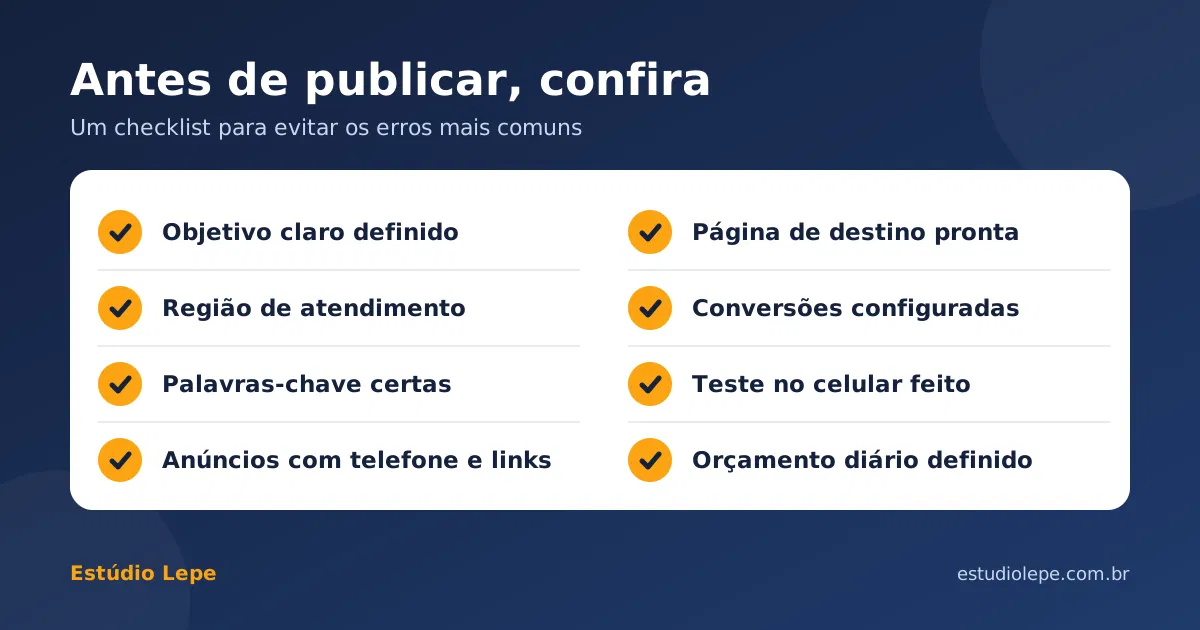
1. Define Your Campaign Goal
Before opening an account, answer this: what do you want people to do? Call, request a quote, submit a form, visit the store? A clear goal guides every subsequent decision, from keyword selection to ad copy.
2. Know Your Audience and Your Area
Think about who buys from you, where those people are and what they type into Google when they need your service. For local businesses, restrict ads to the city or service area. This avoids clicks from people who could never become customers.

3. Choose the Right Keywords
Keywords are the terms that trigger your ad. Prefer terms that show intent to hire, such as "quote," "hire" or the service name with the city. The Google Ads Keyword Planner is free and shows how often each term is searched along with bid estimates. It's located in your Google Ads account under Tools → Planning.
4. Create Clear, Compelling Ads
Search ads have short headlines and descriptions. Write for the reader: say what you do, where you serve and what the next step is ("Get your free quote"). Also use extensions like phone numbers and site links. Google factors the expected impact of these assets into the auction, and they make it easier to get in touch.

5. Take Care of the Landing Page
A great ad is useless if the page it leads to is confusing or slow. It needs to repeat the ad's promise, work well on mobile and have a clear button or form. Landing page quality also factors into Google's evaluation.
6. Set Your Budget and Bidding Strategy
Start with a daily budget you can sustain for at least a few weeks. For new campaigns, it's common to begin with a simpler strategy and adjust once there's enough data.
7. Set Up Conversion Tracking
A conversion is a valuable action the person takes: a phone call, a submitted form, a directions request. Without tracking, you won't know what's working. Set up conversions before you start investing.
8. Monitor, Test and Optimize
Good campaigns are always being adjusted. Review the search terms people used, exclude the ones that don't make sense (negative keywords), test new ad copy and double down on what works.
How Much to Invest and Which Metrics to Track
There is no magic number. The ideal investment depends on your market, competition and how much a new customer is worth to your business. Here's a practical way to think about it:
- Calculate how much a customer is worth: what's the average profit from a sale or closed deal?
- Estimate how many leads become customers: out of 10 people who call, how many hire you?
- Set how much you can pay per lead: cost per lead needs to stay below the profit it generates.
- Start with an amount you can sustain: the Keyword Planner shows bid and click estimates to help with this decision.
Once the campaign is live, track these indicators:
| Metric | What it means | How to use it |
|---|---|---|
| CPC (cost per click) | How much you pay, on average, for each click on the ad. | If it's high, review keywords and ad quality. |
| CTR (click-through rate) | Percentage of people who saw the ad and clicked. | A low CTR means the ad copy isn't engaging enough. |
| Conversions | Valuable actions taken: phone calls, forms, directions requests. | The most important number: shows the leads generated. |
| Cost per conversion | Total cost divided by the number of conversions. | Compare with the profit each customer brings. Example: US$ 454.03 ÷ 129 conversions = about US$ 3.52. |
Common Mistakes Beginners Make (and How to Avoid Them)
| Mistake | How to avoid it |
|---|---|
| Advertising without a clear goal | Define beforehand whether the goal is a call, form, visit or sale. |
| Using overly broad keywords | Prefer terms with purchase intent and include the service area. |
| Not setting up conversion tracking | Turn on tracking before investing so you know what works. |
| Sending clicks to a generic homepage | Take people to a page that repeats the ad's promise with easy contact. |
| Ignoring mobile | Test the ad and page on small screens — many local searches happen on phones. |
| Letting the campaign run without looking | Review search terms every week and exclude the ones that don't make sense. |
| Giving up too soon | Give Google and yourself time to learn from the data before drawing conclusions. |
Conclusion: Start Small, Measure and Improve
Google Ads works very well for small businesses when you start with a clear goal, keywords with purchase intent, well-crafted ads and landing pages, and constant monitoring of results. You don't need a big budget to begin — but you do need a method.
Estúdio Lepe handles every step: business and competitor analysis, campaign creation, conversion tracking setup, optimization and close support. If you want to attract real leads to your business, let's talk.